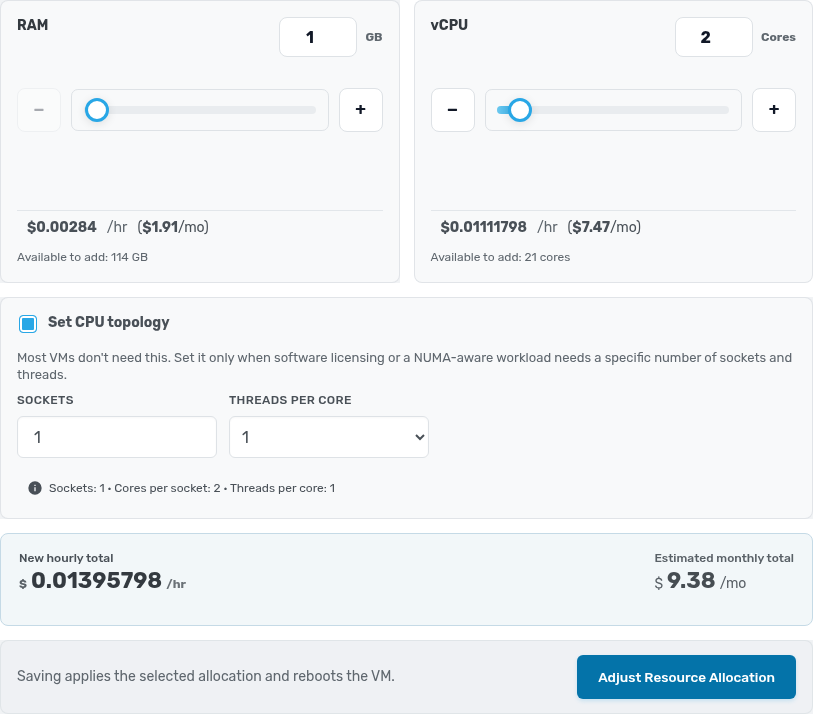
Saving CPU topology reboots the VM. Schedule downtime and save work first.
CPU topology determines how the operating system sees its allocated virtual CPUs. For example, two vCPUs can appear as two single-core sockets or one two-core socket.
- Open the VM and click Resize. Leave the vCPU count unchanged if you only need a different socket layout.
- Enable Set CPU topology. Set SOCKETS and THREADS PER CORE. The preview shows the resulting sockets, cores per socket, and threads per core.
- Check that sockets × cores per socket × threads per core equals the intended vCPU count. Review the estimate, then click Adjust Resource Allocation.
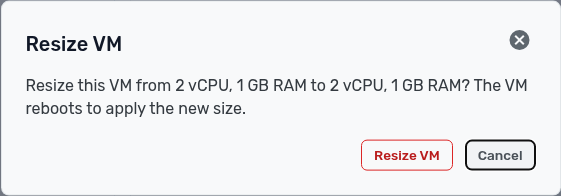
- Read the Resize VM confirmation and confirm the reboot.
- After startup, check the topology inside the guest. On Linux, run
lscpuand compareSocket(s),Core(s) per socket, andThread(s) per core.
Check your software vendor's licensing requirements before choosing a topology. Changing the socket layout does not add CPU capacity.