Back up your application and database, check compatibility, and schedule a maintenance window before changing PHP. Redeploying can interrupt the application.
- Expand the environment in App Hosting. Record the PHP tag shown beside the application node and the node ID.
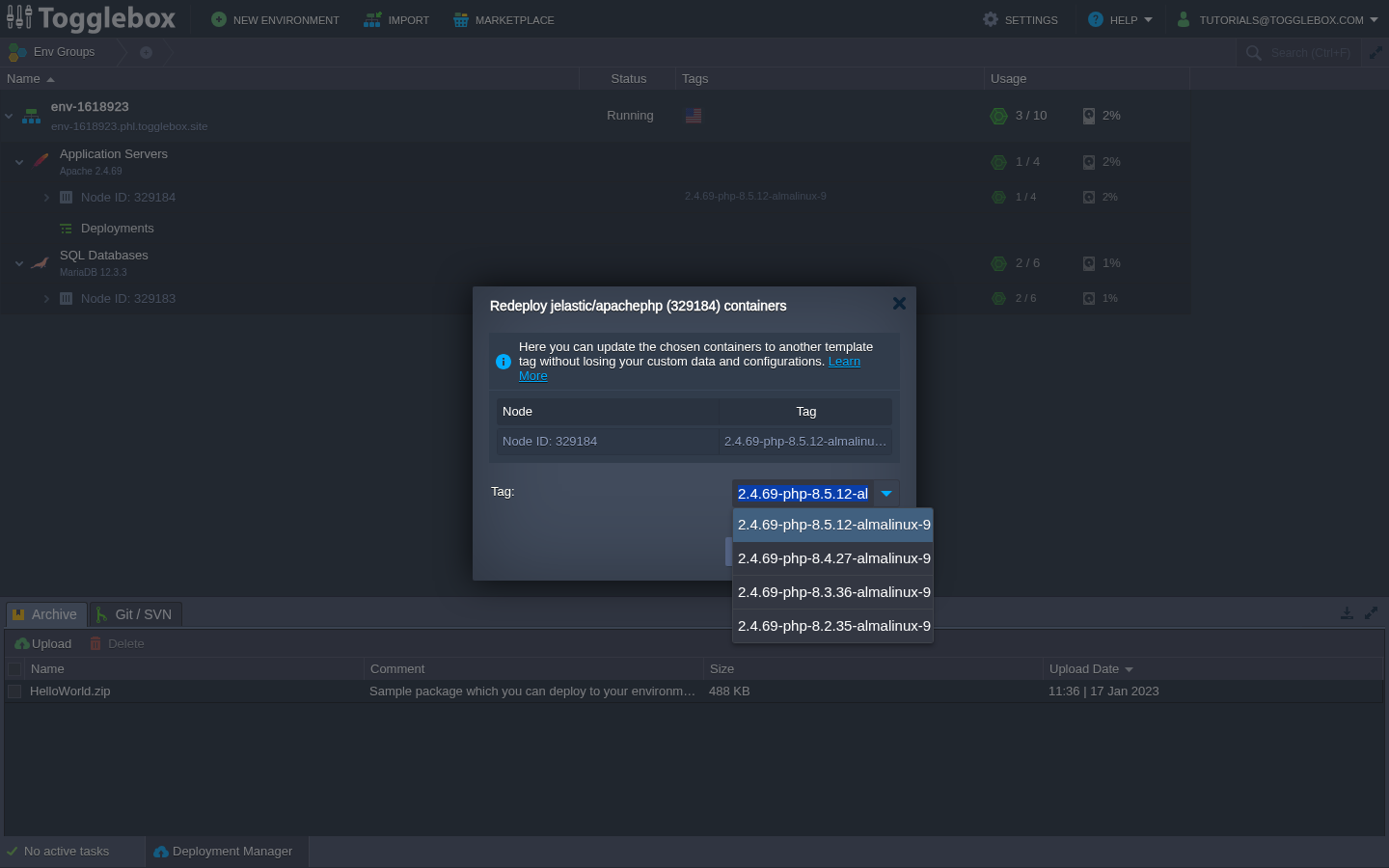
- Hover over the application node and choose Redeploy. Review the current tag in the redeployment dialog.
- Choose the target PHP version in Tag:. Each tag includes the web runtime and base-image version as well as PHP. Choose a complete tag that your application supports.
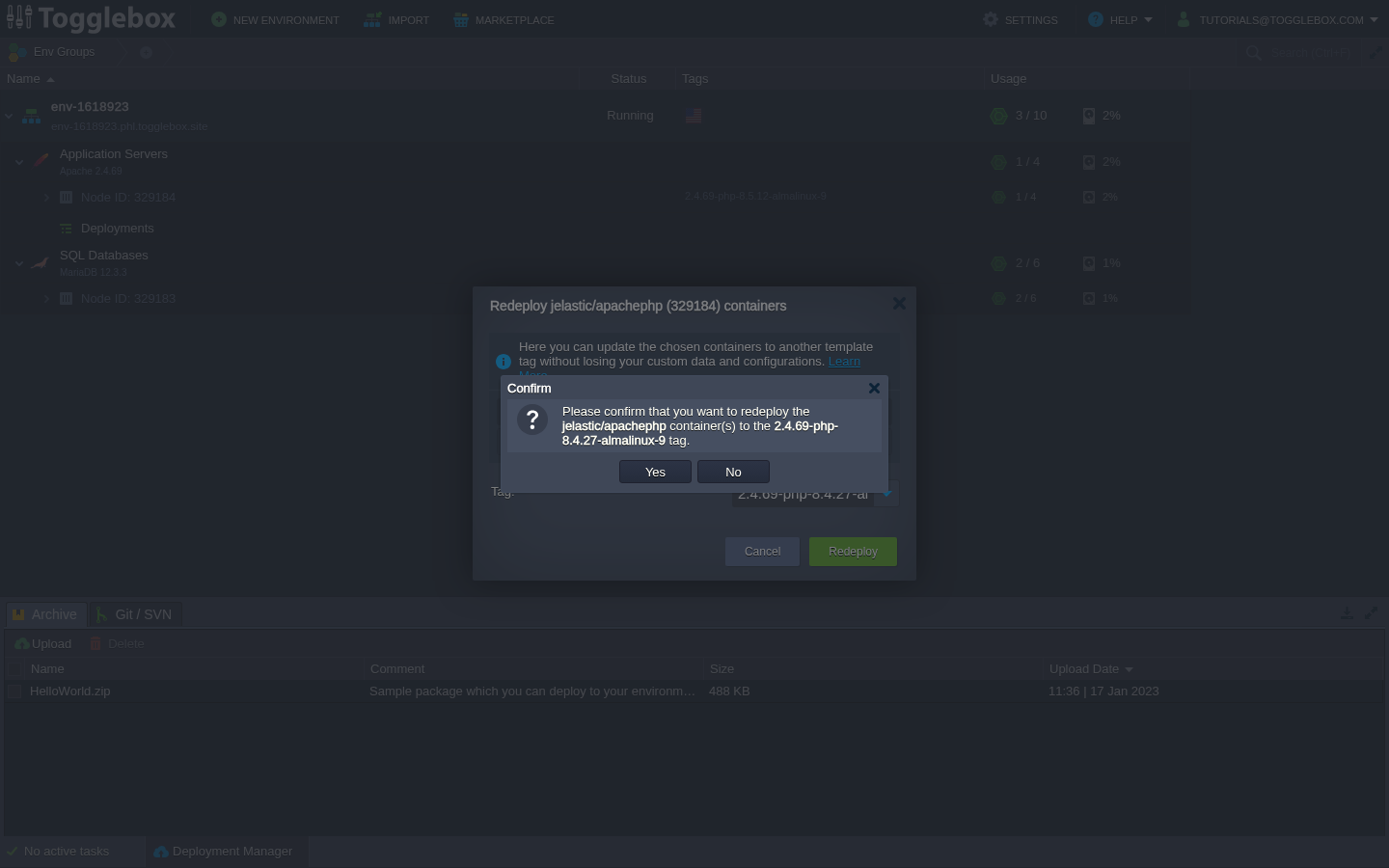
- Click Redeploy, read the confirmation, then click Yes. Wait for the task to finish before starting another update.
- Confirm the new tag in the dashboard. Check the running PHP version and application logs, then test sign-in, important pages, uploads, and any scheduled jobs your application uses.
Keep a tested recovery plan. Redeploying an older runtime does not undo application or database changes. If the task fails, save the error and node ID and contact support before retrying.
Troubleshoot an update that will not finish.