A backup is a point-in-time copy of a VM disk. You can restore it over the disk, or save it as a new volume.
Create a backup
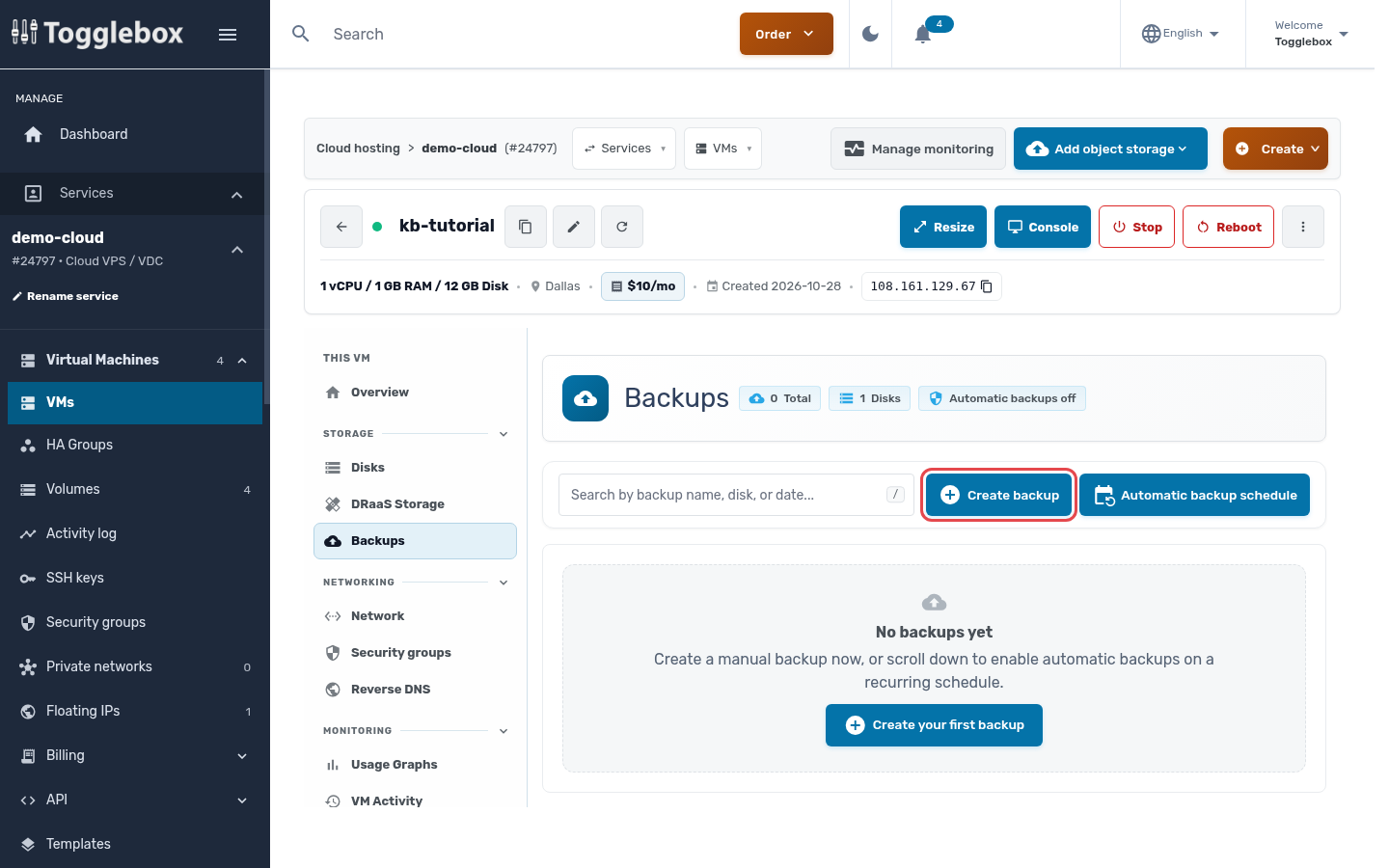
- Open the VM and click Backups in the left menu, then Create backup.
- Name the backup and choose a disk, or All disks (one at a time).
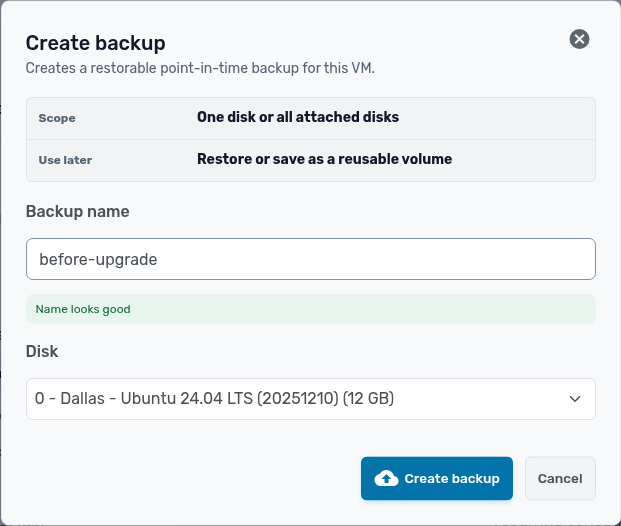
- Click Create backup. It shows under Manual backups when it finishes.
Restore, save or delete a backup
Click the settings button next to a backup.
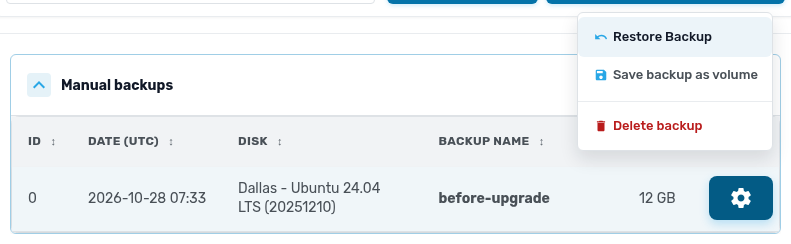
- Restore Backup writes the backup over the disk. The VM reboots if it is running, and anything written since the backup is lost.
- Save backup as volume creates a new volume from the backup and leaves the disk alone. Use it to pull back a few files.
- Delete backup removes it for good.
Schedule automatic backups
- On the Backups page, click Turn on automatic backups.
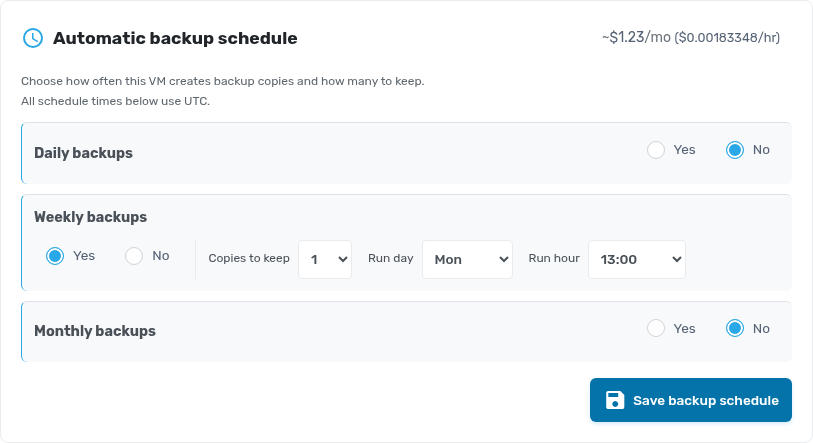
- Choose daily, weekly or monthly backups, how many copies to keep, and the run day and hour. Times are in UTC.
- Click Save backup schedule. The estimated monthly cost is shown above the schedule.