Cloning makes a full copy of a VM, including its attached volumes and configuration. The copy gets its own IP address. The original VM stays as it is.
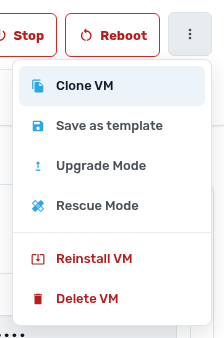
- Open the VM you want to copy and click More actions (three dots) > Clone VM.
- Check the Resource check. Your service needs enough free CPU, memory, storage, IPs and VM slots for the copy.
- Enter a Name for the new VM or click Suggest.
- Leave Shut down the source VM first ticked unless you can't afford the downtime. Copying a running VM can catch files mid-write.
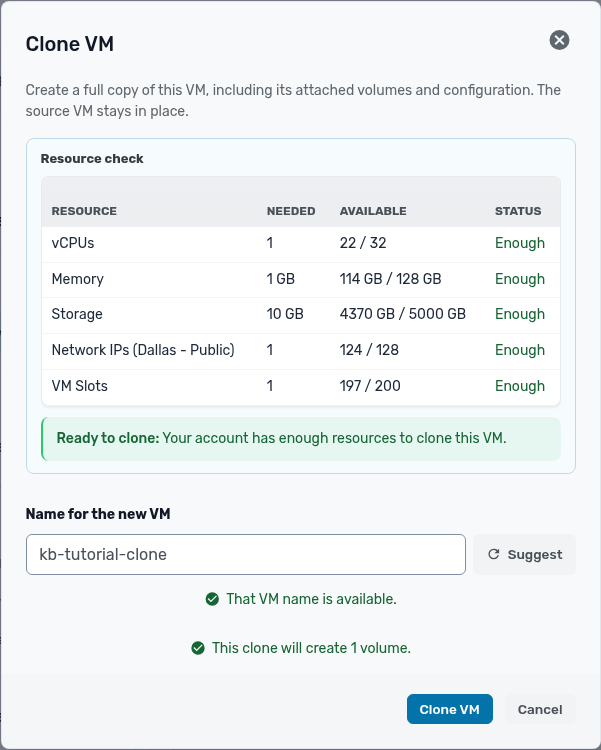
- Click Clone VM. The new VM appears in your list when the copy finishes.
If the source VM has the contextualization service, the clone sets its own hostname and network on first boot. To make many VMs from one setup, use Save as template in the same menu instead.