Check how many backup copies you plan to keep before enabling a schedule. More copies can use more storage. Saving a backup as a Volume also adds storage.
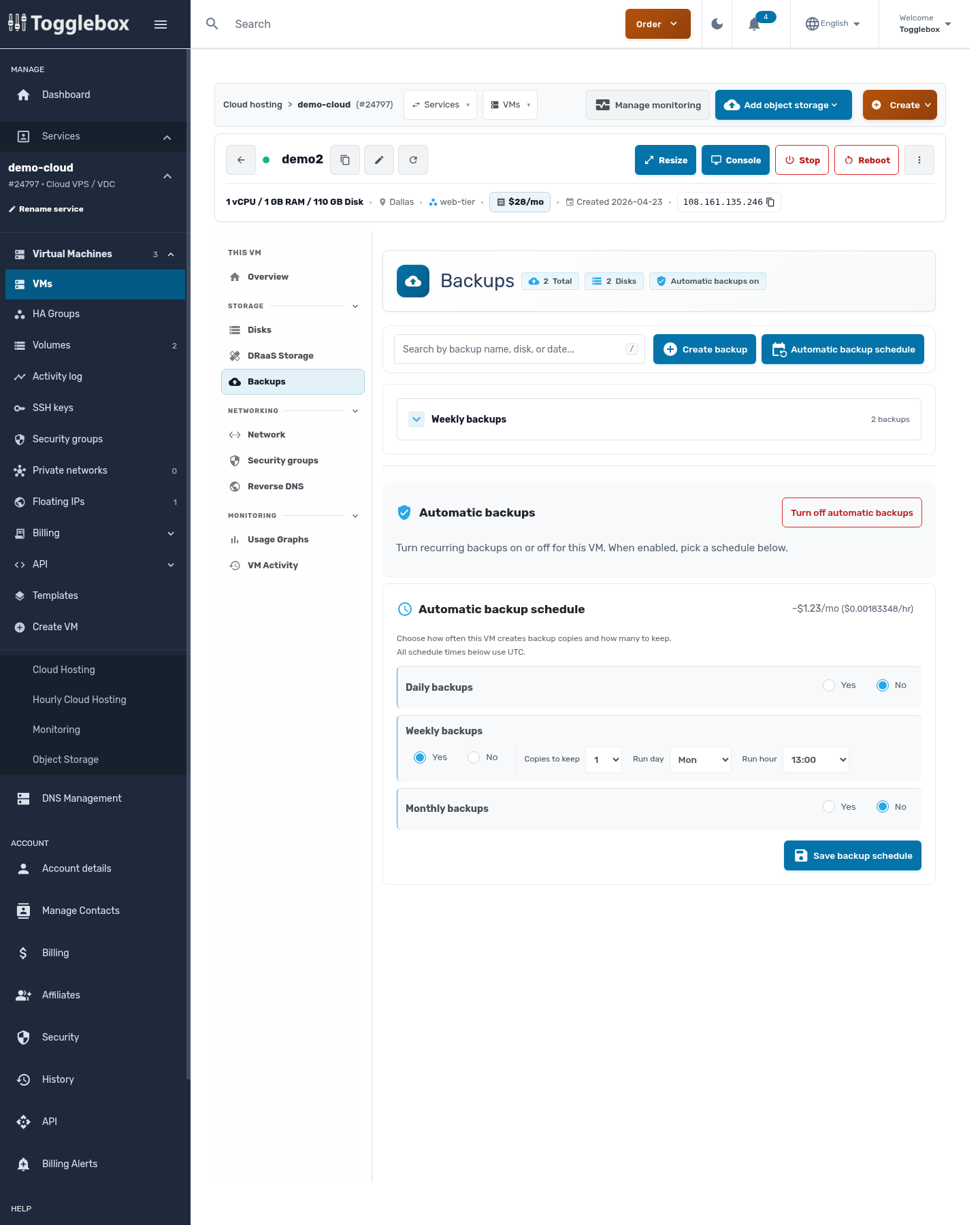
- Open the VM and click Backups. Review its existing manual and automatic backups.
- Open Automatic backup schedule. If automatic backups are off, use Turn on automatic backups to configure a schedule.
- Review Daily backups, Weekly backups, and Monthly backups. Check Copies to keep, Run day, and Run hour for the schedules you enable. Schedule times are labeled UTC.
- Review the estimated monthly cost, then click Save backup schedule. Check the saved settings and the backups that appear after scheduled runs.
- Check for temporary recovery Volumes and delete any you no longer need.
Use the estimate to compare retention settings and your invoice to check actual charges. Back up and restore a disk explains manual backups and restore options. These instructions cover Backups, which has separate controls from DRaaS Storage.
Recover individual files from a disk backup.