Reinstalling erases the OS disk. Take a backup first if there is anything on it you need. See Back up and restore a disk.
A reinstall rebuilds the VM from a fresh template. The VM keeps its IP addresses, firewall rules and persistent data disks where possible. Its VM ID and root password change.
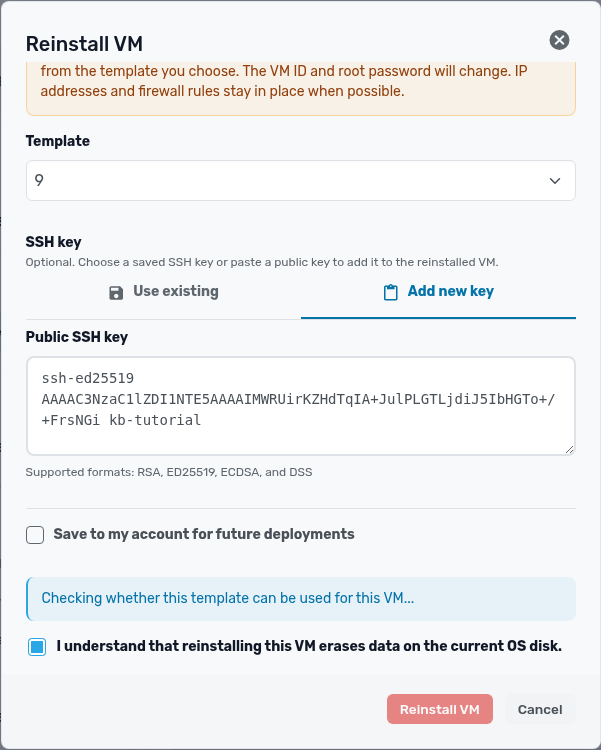
- Open the VM and click More actions (three dots) > Reinstall VM.
- Choose a Template. You can switch operating systems, for example from Ubuntu to AlmaLinux.
- Under SSH key, choose a saved key or paste a new one. Some templates require a key.
- Tick I understand that reinstalling this VM erases data on the current OS disk and click Reinstall VM.
- Wait for the operation status window to finish. The VM shows up in the list under its new ID, with the same name and IP.
Get the new root password from the VM's Overview page.