The contextualization service (one-context) runs inside the VM and applies changes you make in the control panel. It is already installed on every VM built from our templates. You only need this guide if you imported a VM, installed one from your own ISO, or removed the package.
Without it, these features don't reach the VM:
- Password resets and installing SSH keys
- Automatic network setup, including extra IPs, IPv6 and private networks
- Growing the root filesystem after you expand the disk
- Setting the hostname on new and cloned VMs
Take a backup before you install it. See Back up and restore a disk.
The commands below install version 7.4.0 from GitHub. Run them as root.
Ubuntu and Debian
wget https://github.com/OpenNebula/one-apps/releases/download/v7.4.0/one-context_7.4.0-0.deb
apt-get purge -y cloud-init
apt-get install -y ./one-context_7.4.0-0.deb
AlmaLinux, Rocky Linux and RHEL 9
dnf install -y epel-release
dnf install -y https://github.com/OpenNebula/one-apps/releases/download/v7.4.0/one-context-7.4.0-0.el9.noarch.rpm
For version 8 or 10, change el9 to el8 or el10 in the file name. On a VM with 1 GB of RAM, dnf can run out of memory; add a swap file first if it gets killed.
Windows
Open PowerShell as Administrator and run:
Invoke-WebRequest -Uri "https://github.com/OpenNebula/one-apps/releases/download/v7.4.0/one-context-7.4.0-0.msi" -OutFile "C:\one-context-7.4.0-0.msi"
Start-Process -FilePath msiexec.exe -ArgumentList "/i C:\one-context-7.4.0-0.msi /qn" -Wait
Start-Service -Name onecontext
The service starts automatically from then on.
VMs without internet access
Attach the Contextualization Packages 7.0 system ISO from Disks > Attach ISO. It holds the packages for every supported system, including the Windows MSI. Mount it inside the VM and install the file for your OS. See Attach an ISO to a VM.
After installing
Reboot the VM once. To check that it works, reset the password from the VM's Overview page and log in with the new one.
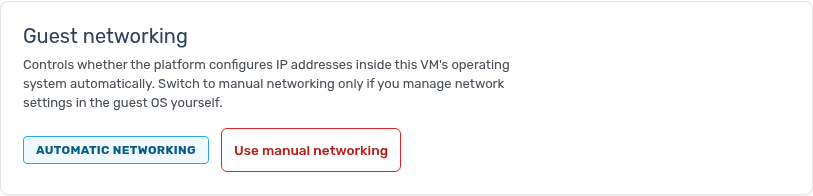
If you configure networking inside the VM yourself, open Network and click Use manual networking under Guest networking so the service leaves your settings alone.
Some older or unusual distributions need extra settings before networking works. If the VM loses its network after installing, contact support.