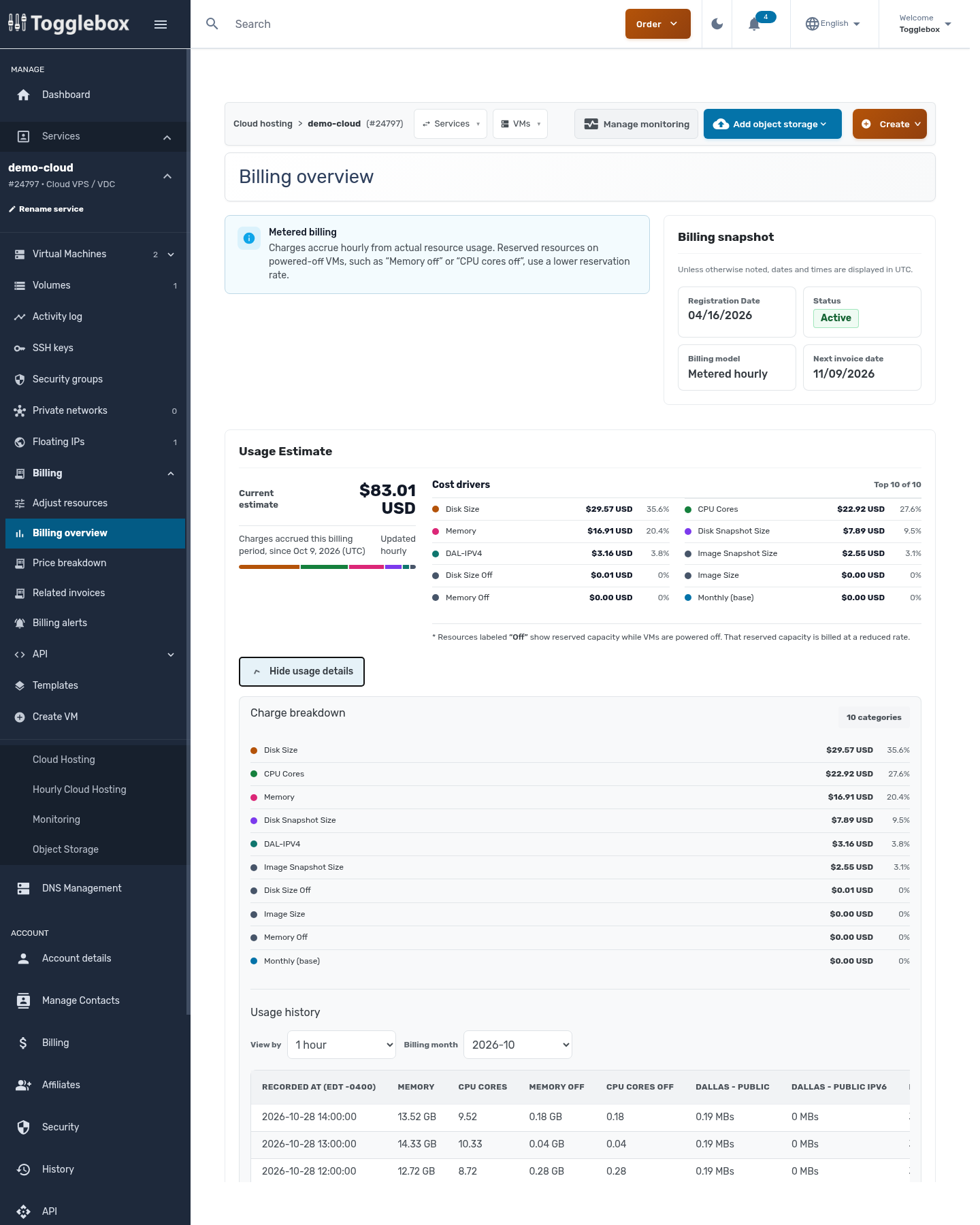
Match the invoice period to your usage history. You may have resized or deleted resources since the period being billed.
- Open the invoice and note the service, billing period, and resource entry you want to check.
- Open that Cloud VPS service and click Billing overview, then Show usage details.
- Choose the relevant Billing month. Review Charge breakdown and Usage history; change View by to compare hourly or daily quantities.
- Compare the dates with creation, resize, and deletion entries in Activity log. Use the timezone printed beside each table or timestamp.
- If an entry still does not match, send billing the invoice number, resource ID, date range, and the quantities you compared.
Deleting a resource does not erase charges already incurred. Adjustments made when the invoice is issued can change the amount from the current estimate.
Understand monthly cap credits.